
How it works
From the first call to the completed visit
Four steps, one platform. Here is how a patient request moves through APY, from the first ring to the visit note.
Assist
Step 1: A patient calls or texts
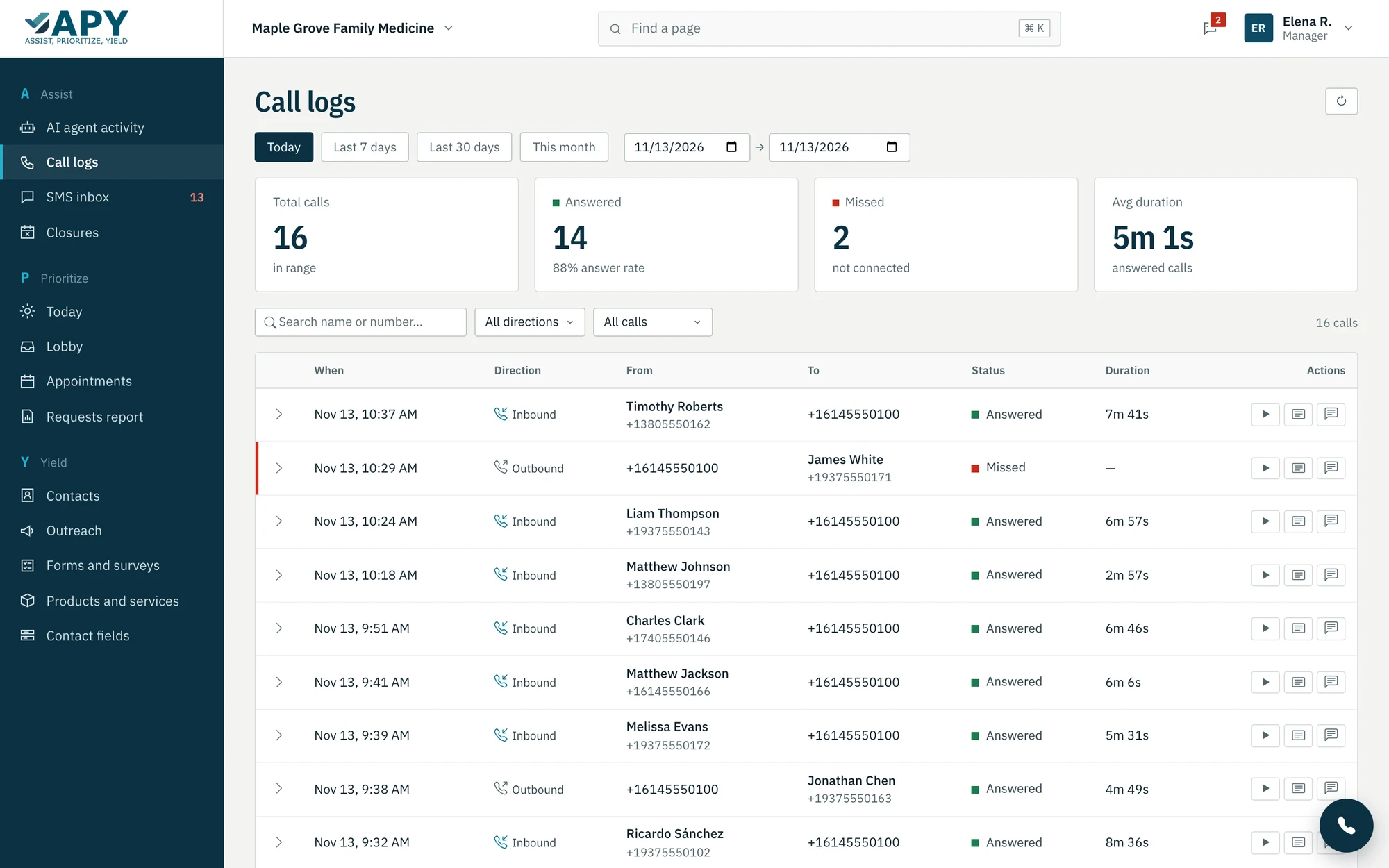
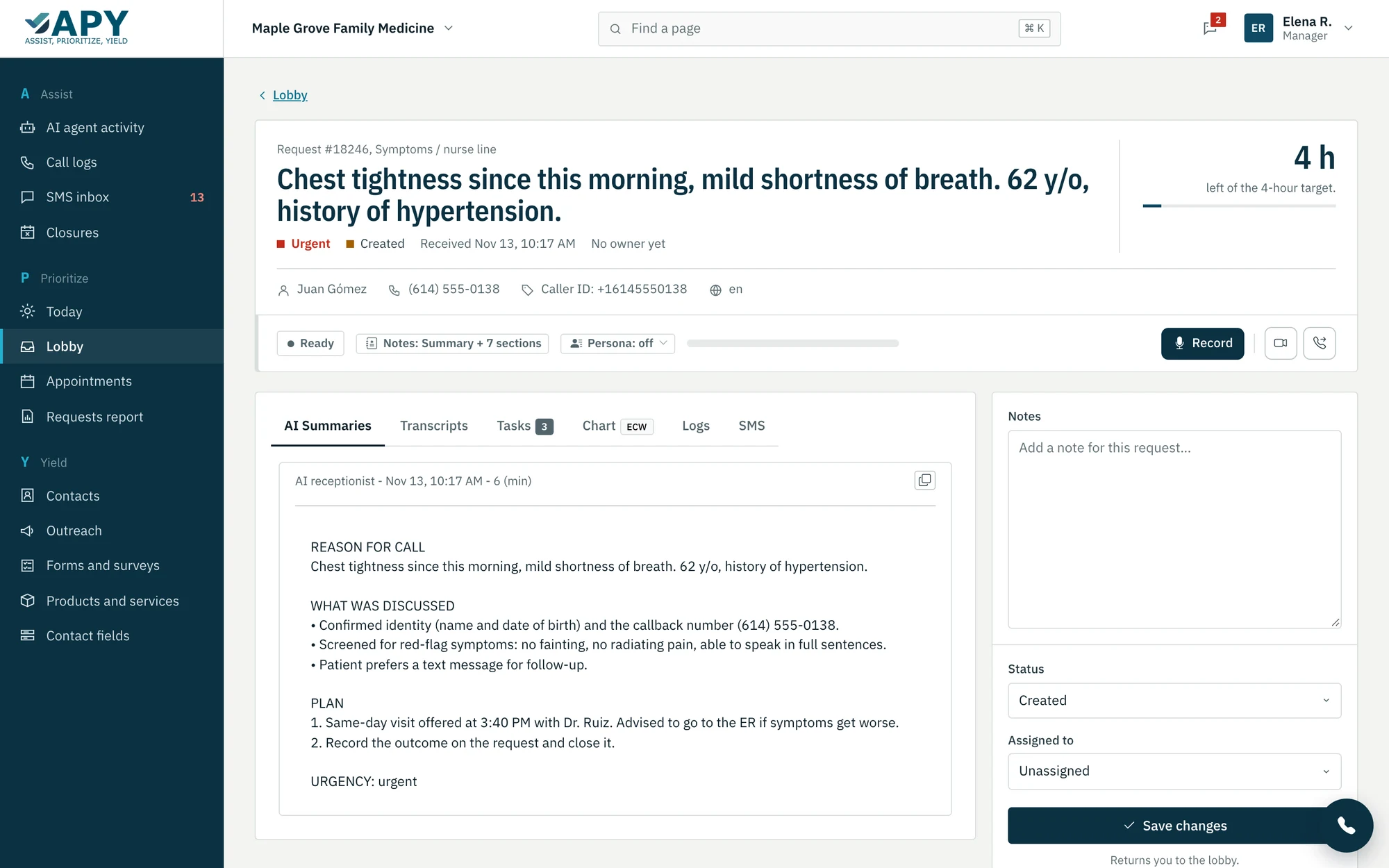
An AI agent answers, day or night, in English or Spanish, by phone, SMS or WhatsApp. The call is logged with the recording, a transcript and an AI summary of what the patient needs.
- Answered 24/7, in English and Spanish
- Recording, transcript and AI summary
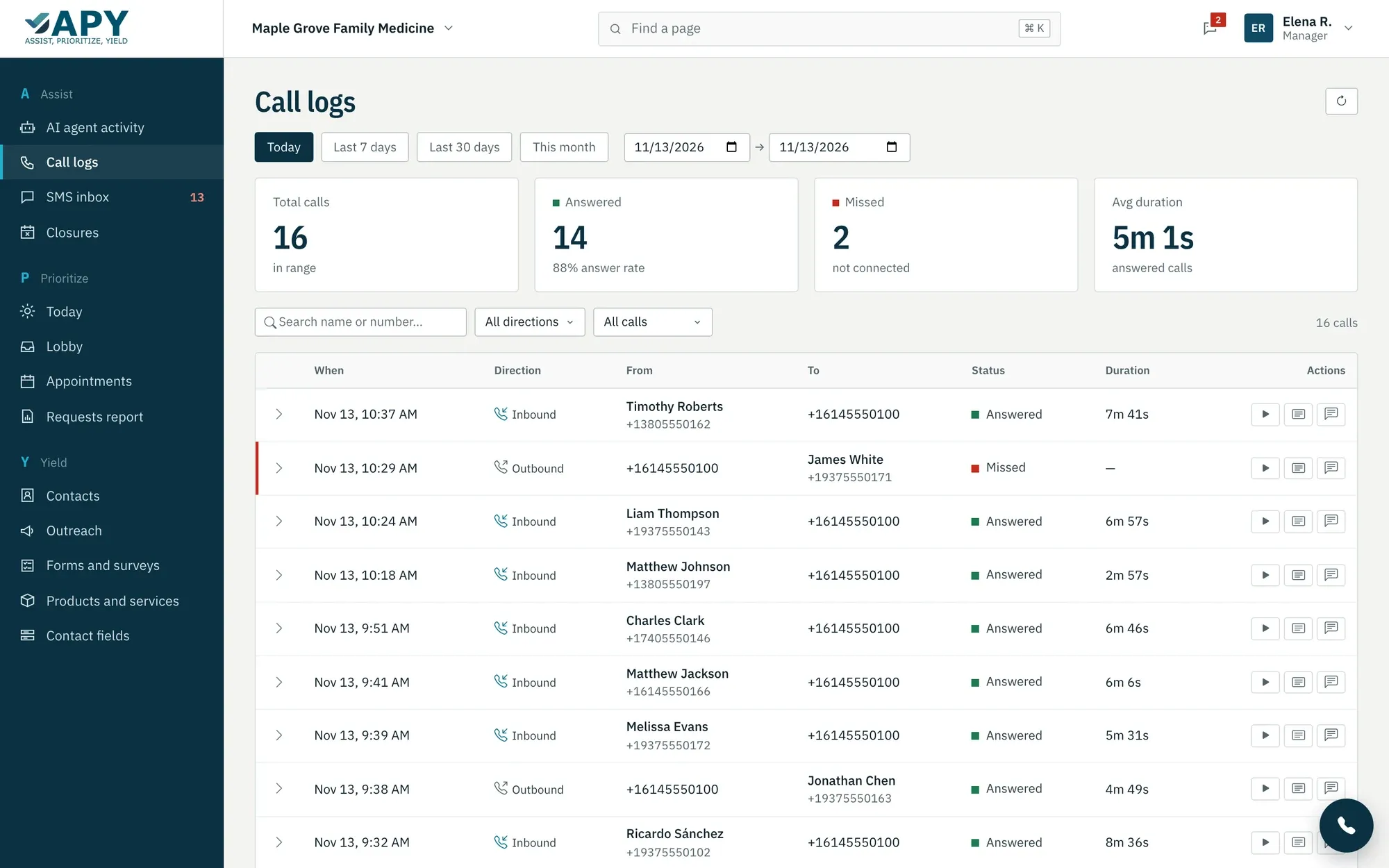
Every call is loggedDemo data, fictional 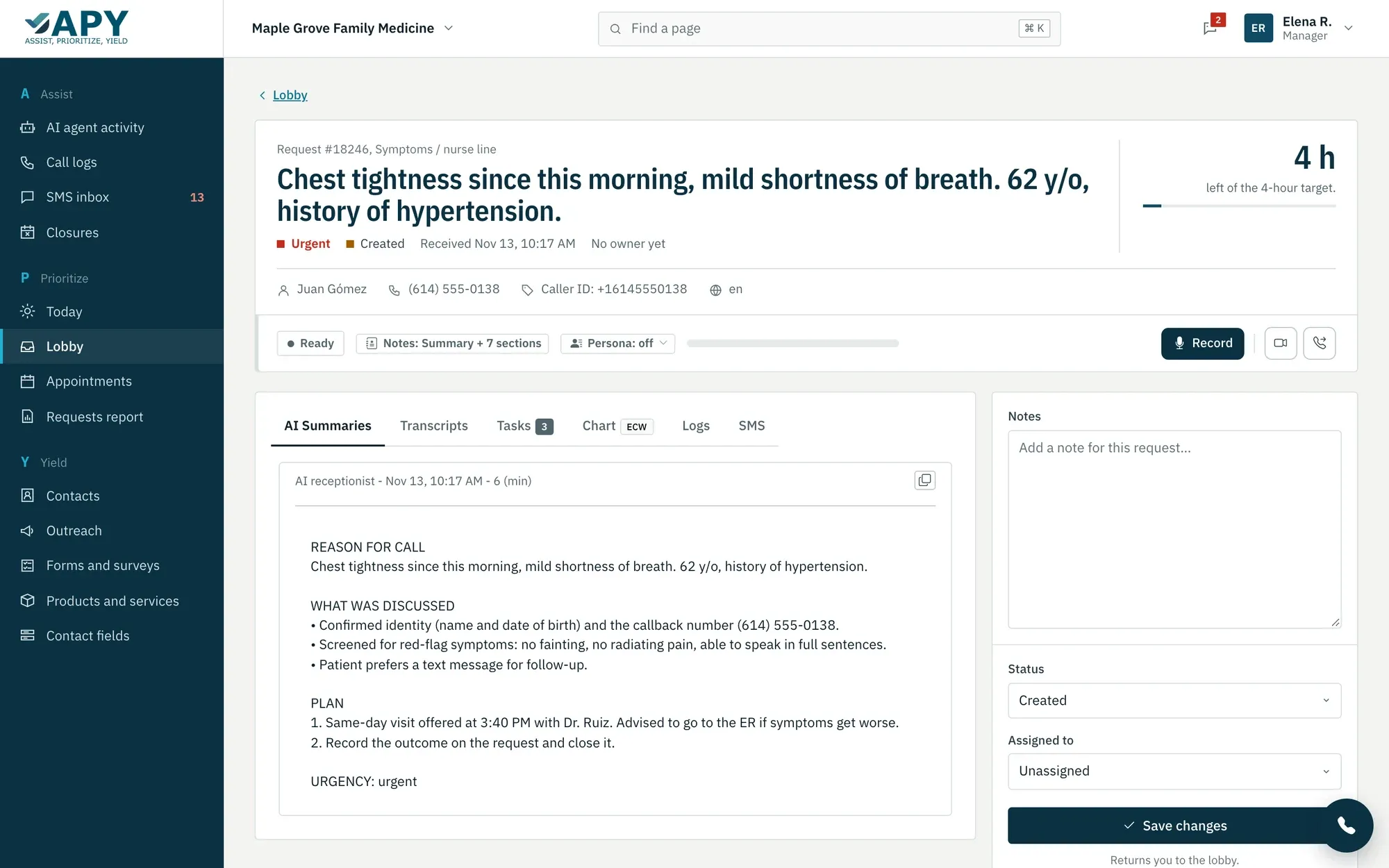
The call becomes a requestDemo data, fictional Prioritize
Step 2: It becomes a request in the Lobby
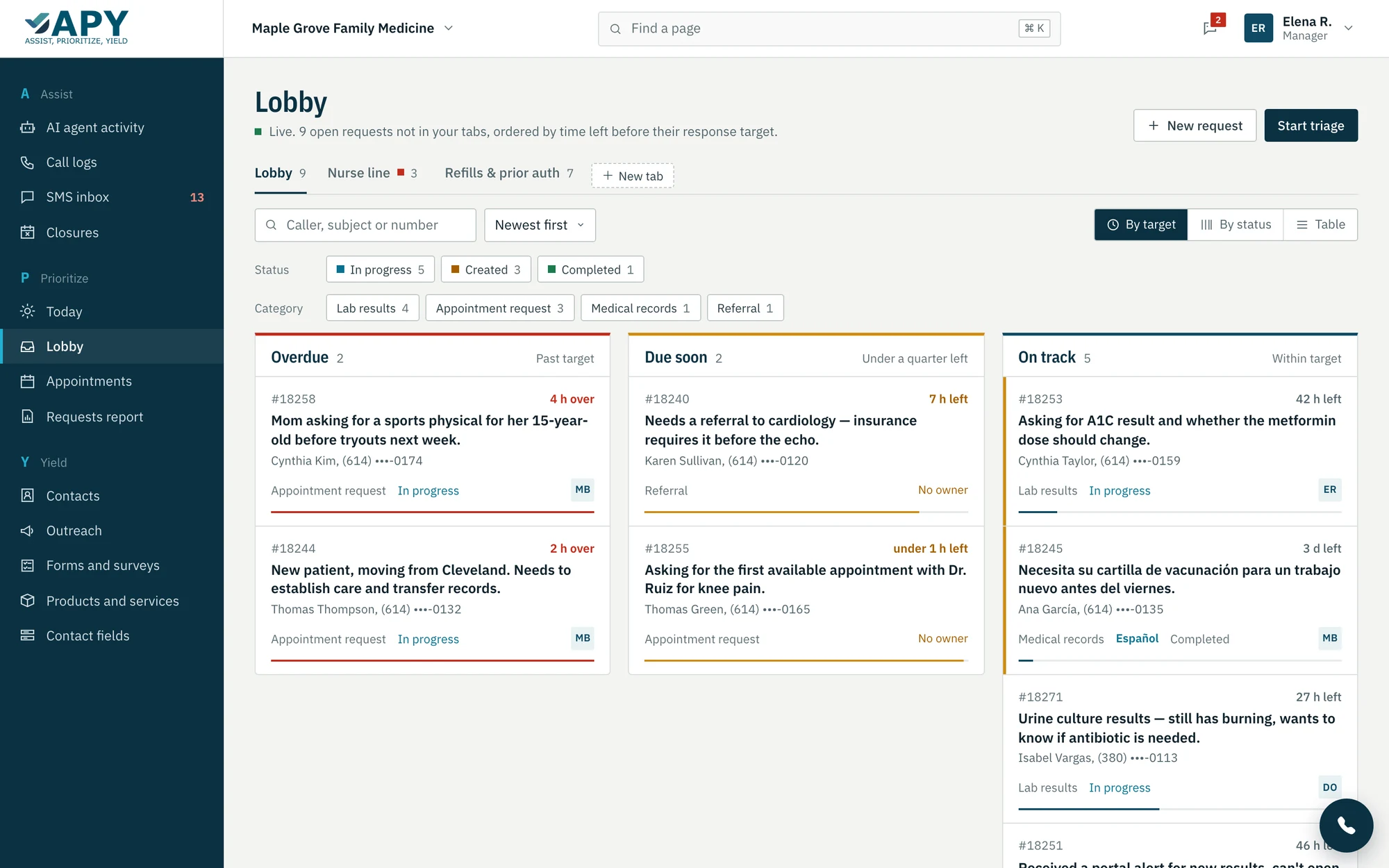
The request is sorted against its category's response target, so urgent requests surface first. Someone takes it, calls the patient back from the browser, or replies by text.
- Overdue, Due soon and On track lanes
- Owners visible, urgent requests flagged
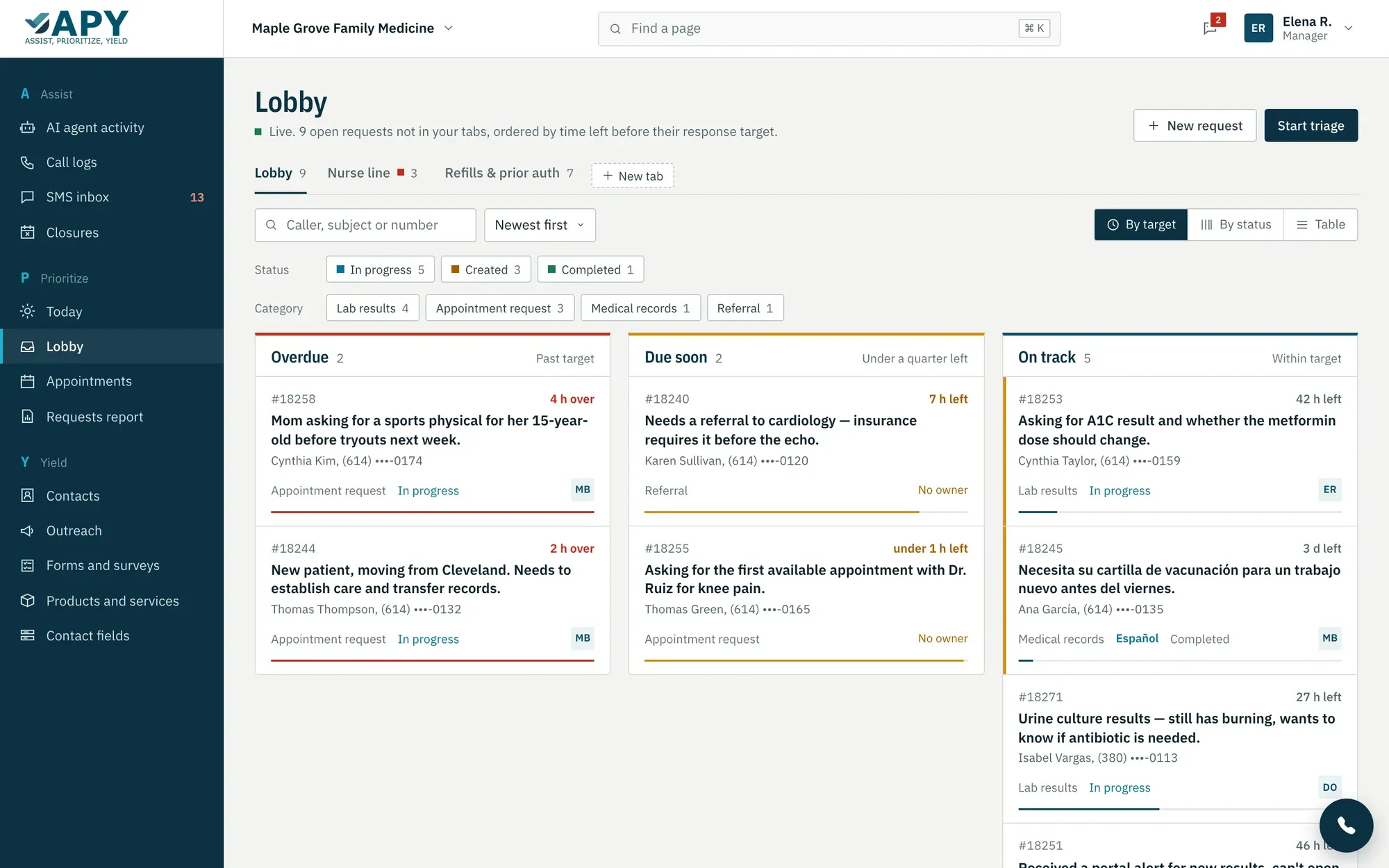
The LobbyDemo data, fictional Yield
Step 3: The patient comes in
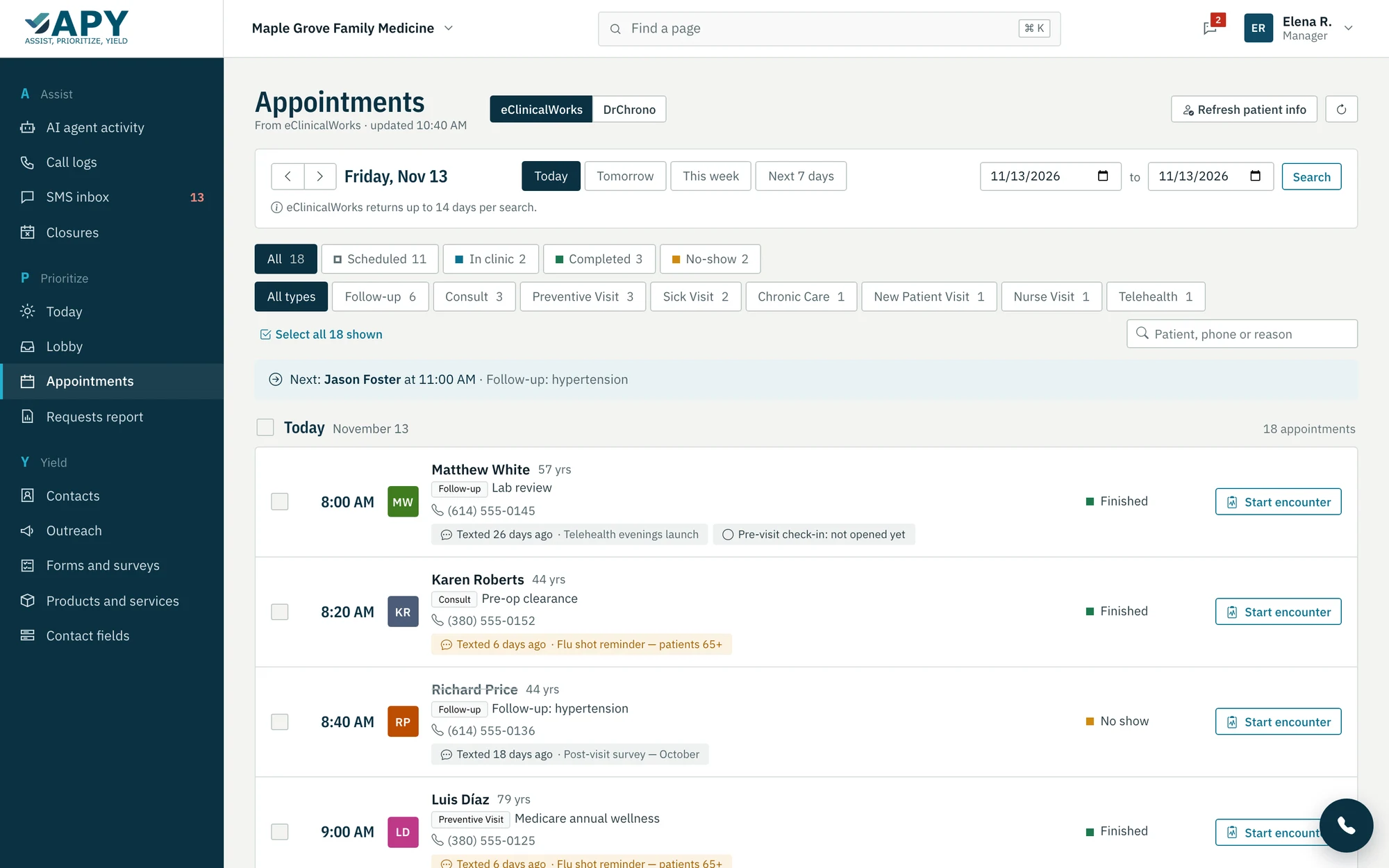
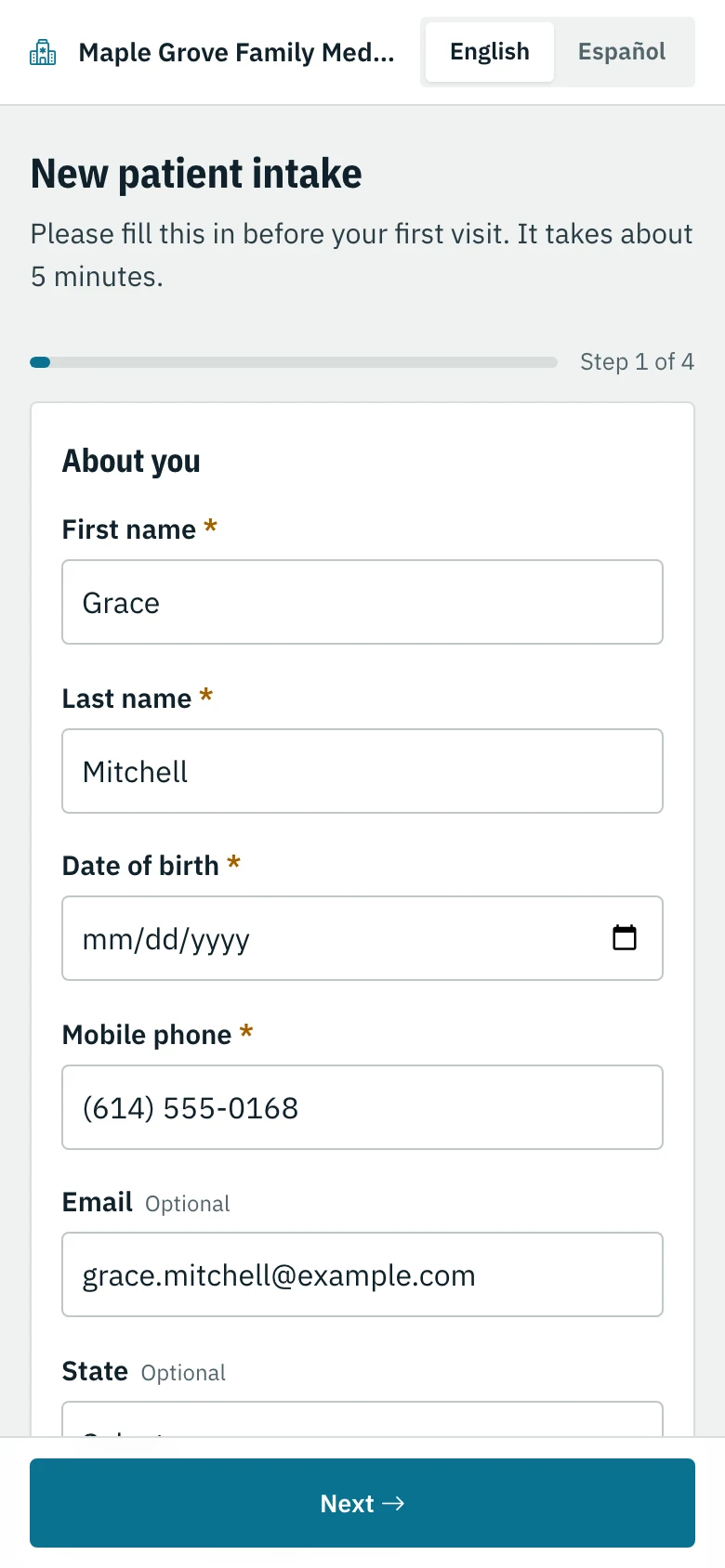
The day's schedule comes from eClinicalWorks and DrChrono (other EHRs can be connected on request). Intake forms and consents can be sent ahead and filled on the patient's phone. Staff start the encounter from the schedule.
- EHR schedule and patient chart summary
- Intake forms on the patient's phone
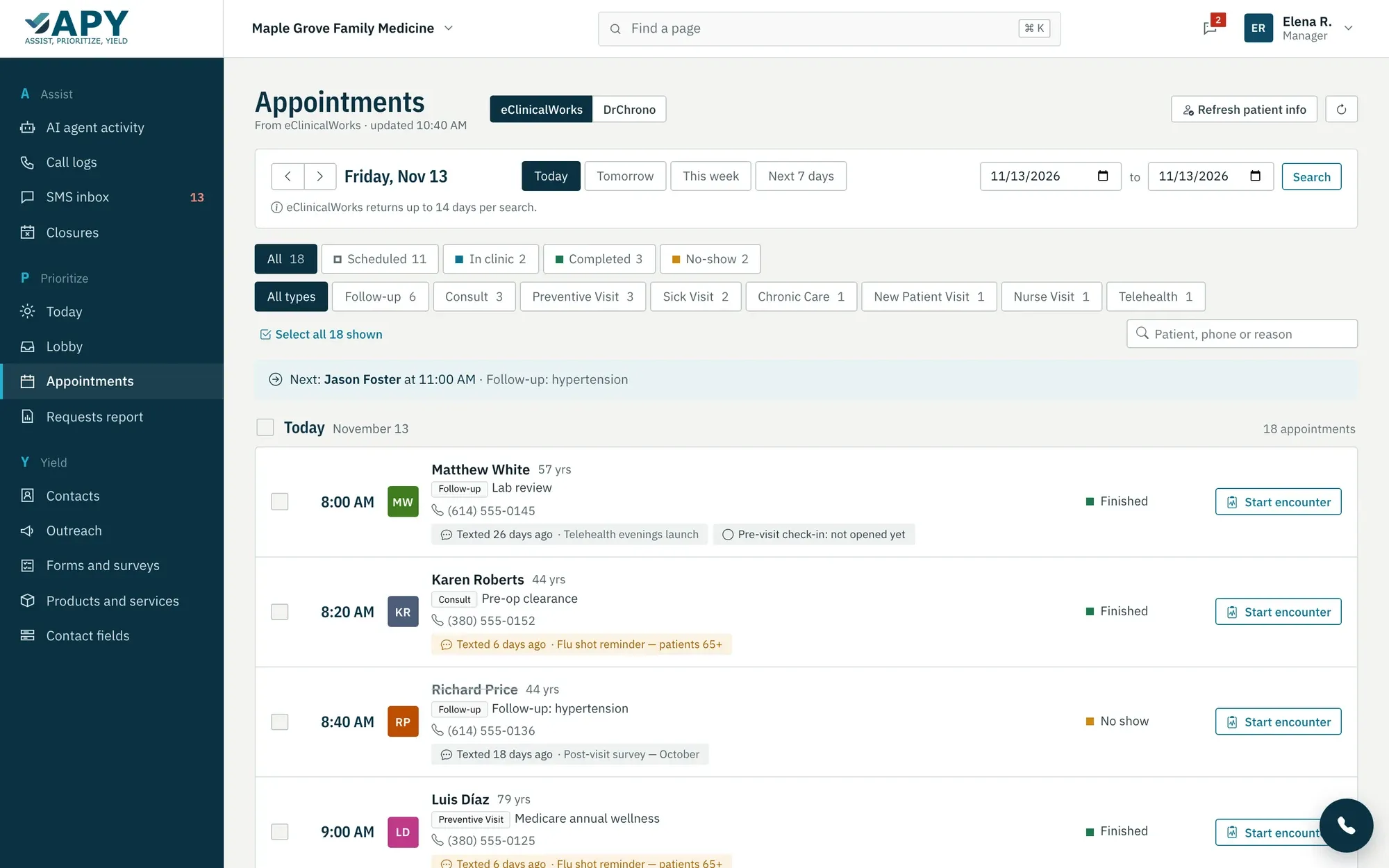
The schedule from your EHRDemo data, fictional 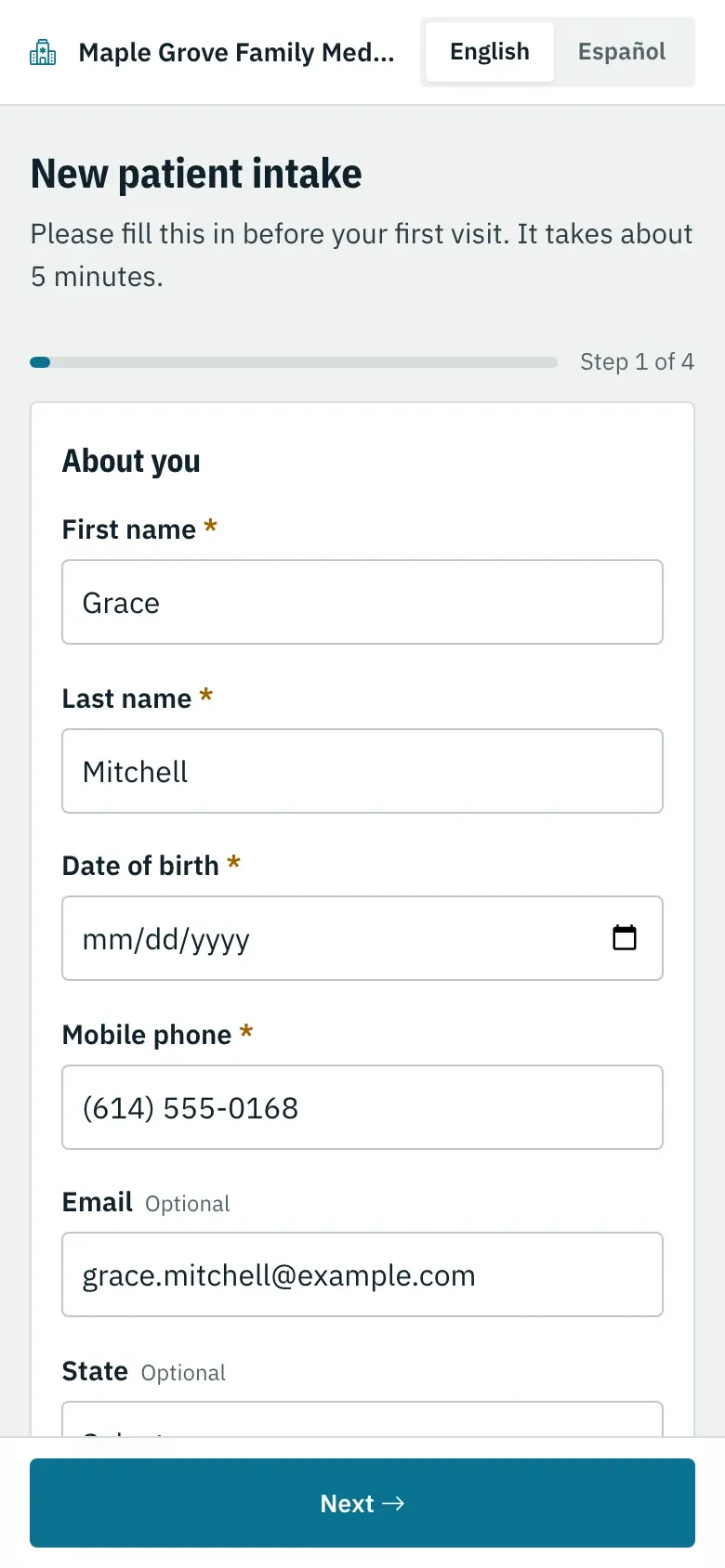
Intake on the patient's phoneDemo data, fictional Yield
Step 4: The AI scribe drafts the note, and the follow-up goes out
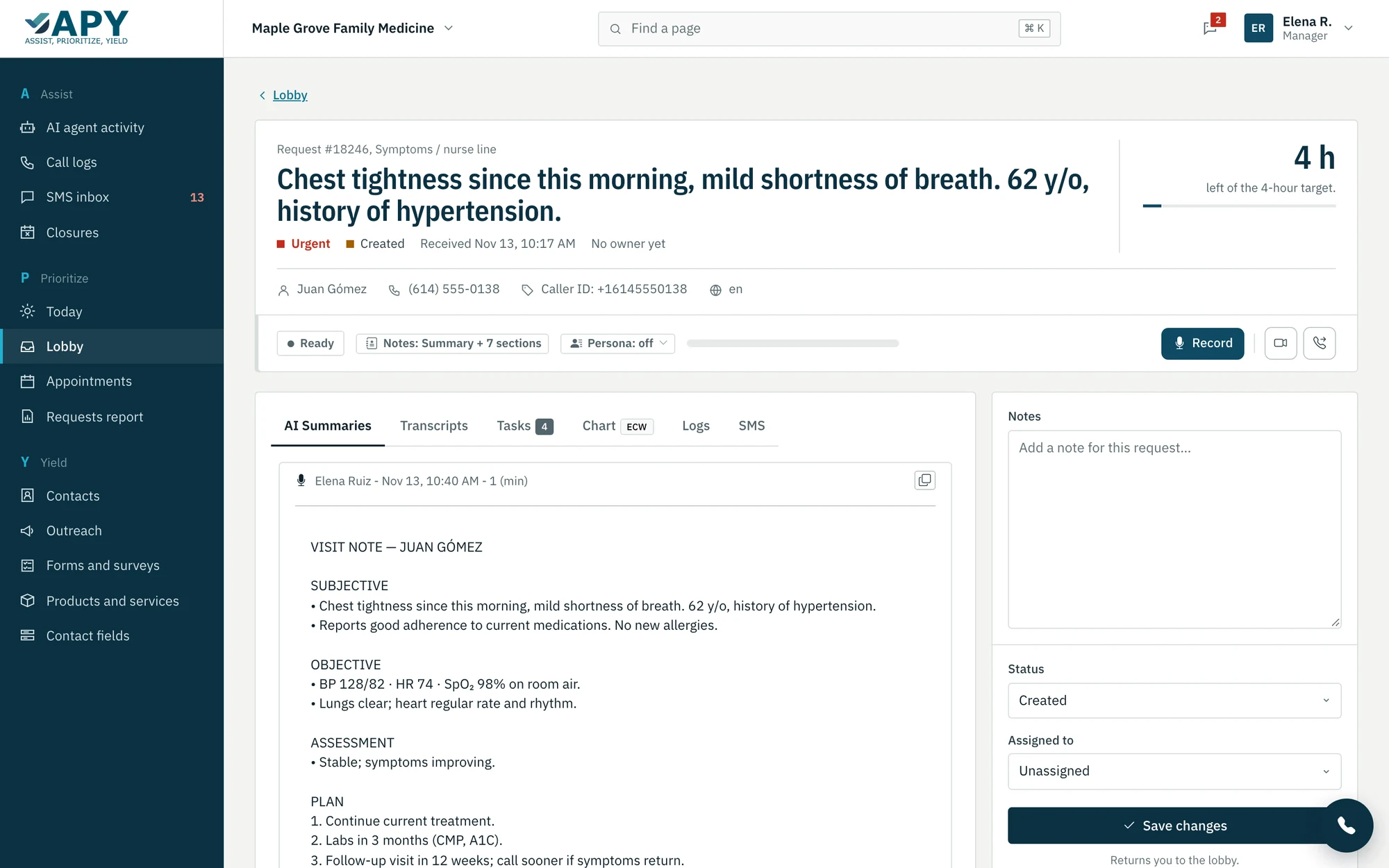
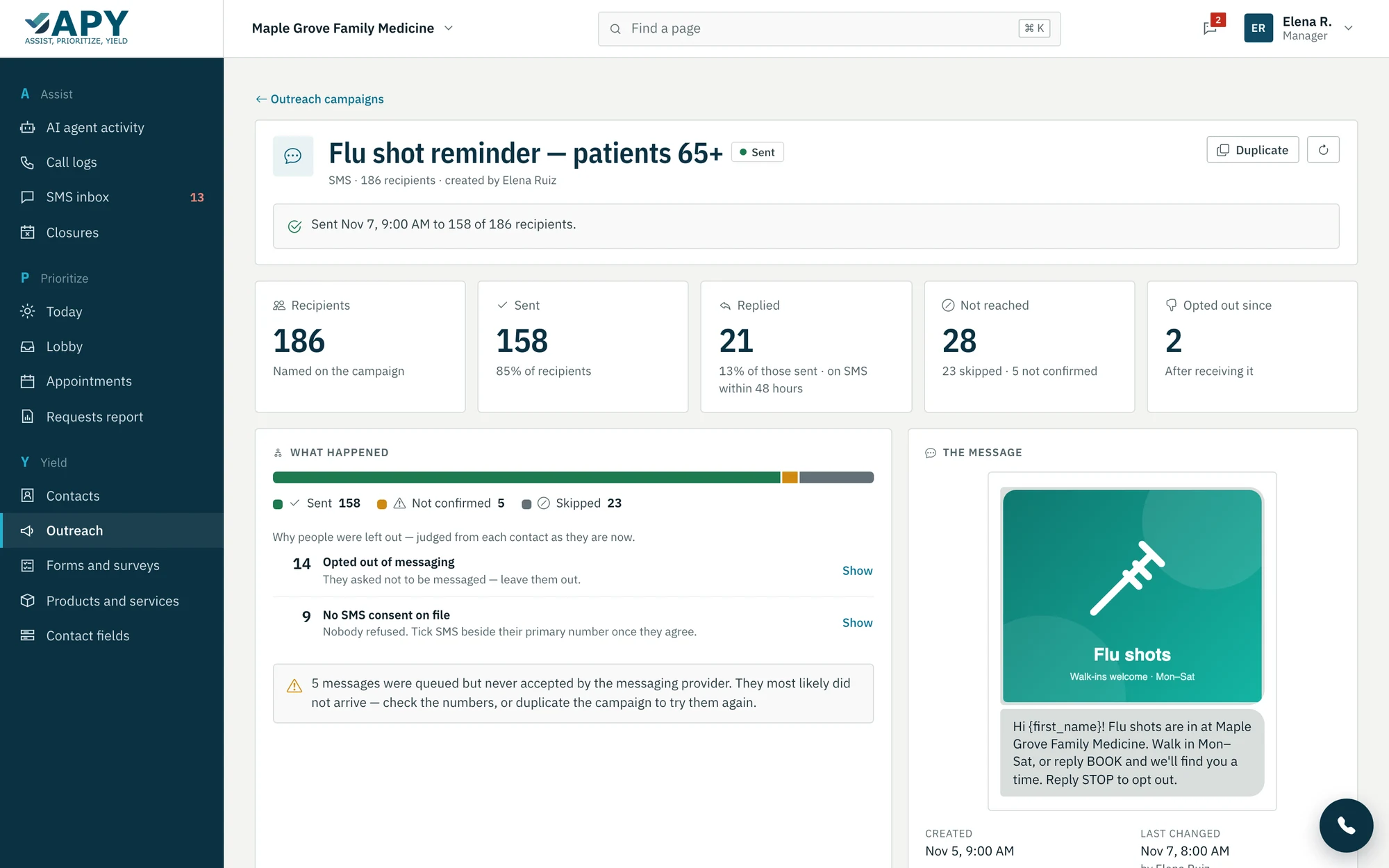
The provider presses Record and talks with the patient. AI drafts the visit note and the follow-up tasks, and suggests ICD/CPT codes for the provider. The note is written back into the EHR. Reminders, outreach and a post-visit survey keep the patient in touch.
- Draft visit note written back to the EHR
- Reminders, campaigns and surveys
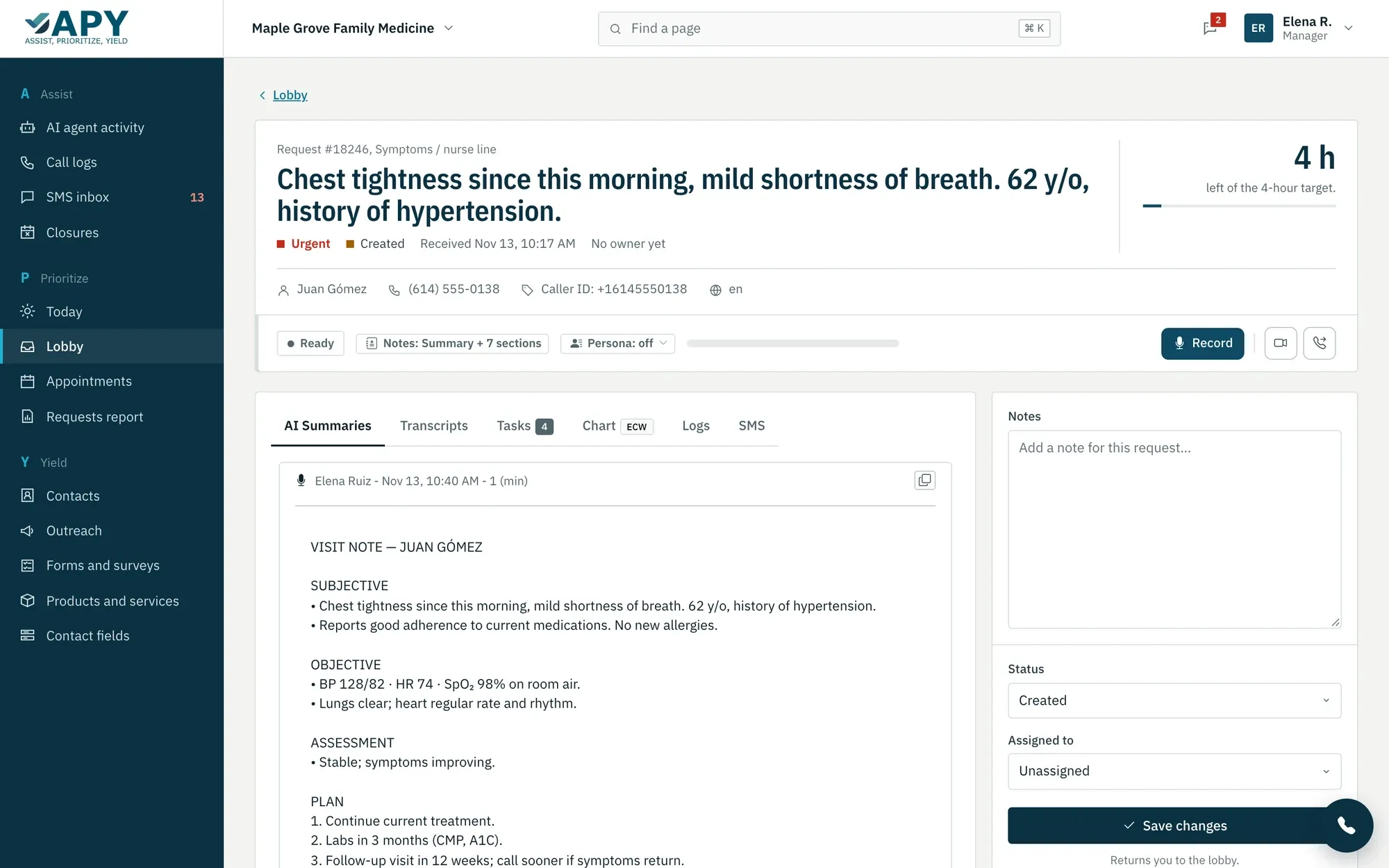
Draft visit noteDemo data, fictional 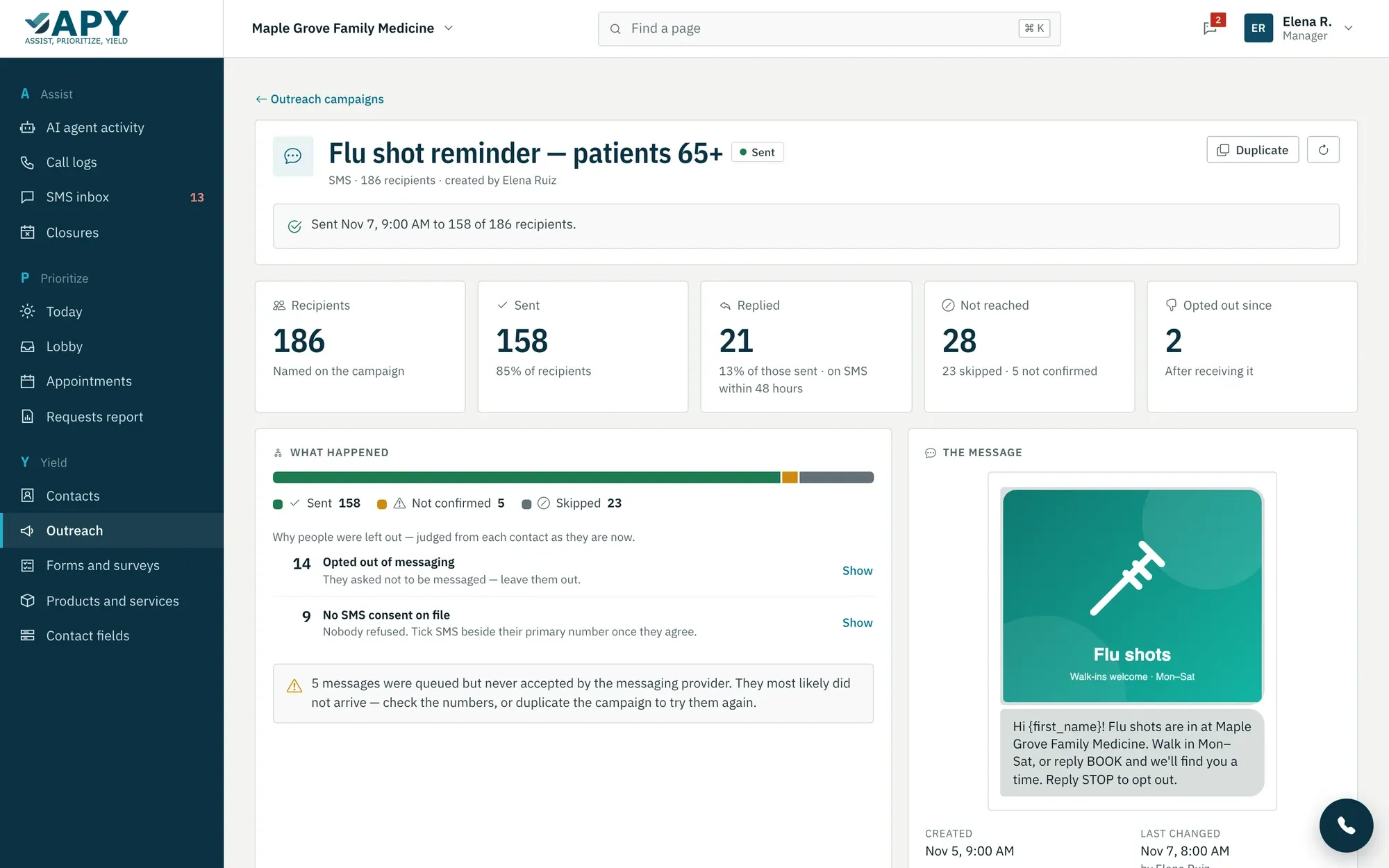
Follow-up campaign resultsDemo data, fictional
Video tour
One morning at the front desk
Start with what's urgent, work every request against its target, read the AI summaries, answer texts from one inbox, and see the EHR schedule, in a 46-second tour.
Read the transcript
One morning at the front desk, with APY.
Start the day with what's urgent, and who's carrying the load.
Every request is sorted against its response target.
Every call is logged, with the recording, transcript and an AI summary.
Record a visit, and AI drafts the note and the follow-up tasks.
Texts and WhatsApp land in one shared inbox.
Your eClinicalWorks or DrChrono schedule is right here,
with the patient's history one click away.
Patients do their intake forms on their phone.
Campaigns and surveys show you who replied, and how the visit went.
Team huddles can be recorded, with AI notes, when everyone agrees.
And our AI agents answer 24/7, in English and Spanish.
Learn more at apytechnologies.com.
See APY with your own workflow
Tell us how your front desk handles calls, texts and forms today, and we'll walk you through APY with your practice in mind.
Works today with eClinicalWorks and DrChrono. Using a different EHR? We'll connect APY to it on request.